Please note that change of context may affect the pricing and availability of the existing items in the cart
(Sold To)
(Payer)
(Ship-To)

- I want to update or add a...
- Main Account (Sold-To)
- Job Account/Sub Account (Payer)
- Location (Ship-to)
- Need Help? Visit our Help Center or Contact Us
Schneider Electric Altivar™ Lexium™ Ethernet TCP / IP Communication Modules
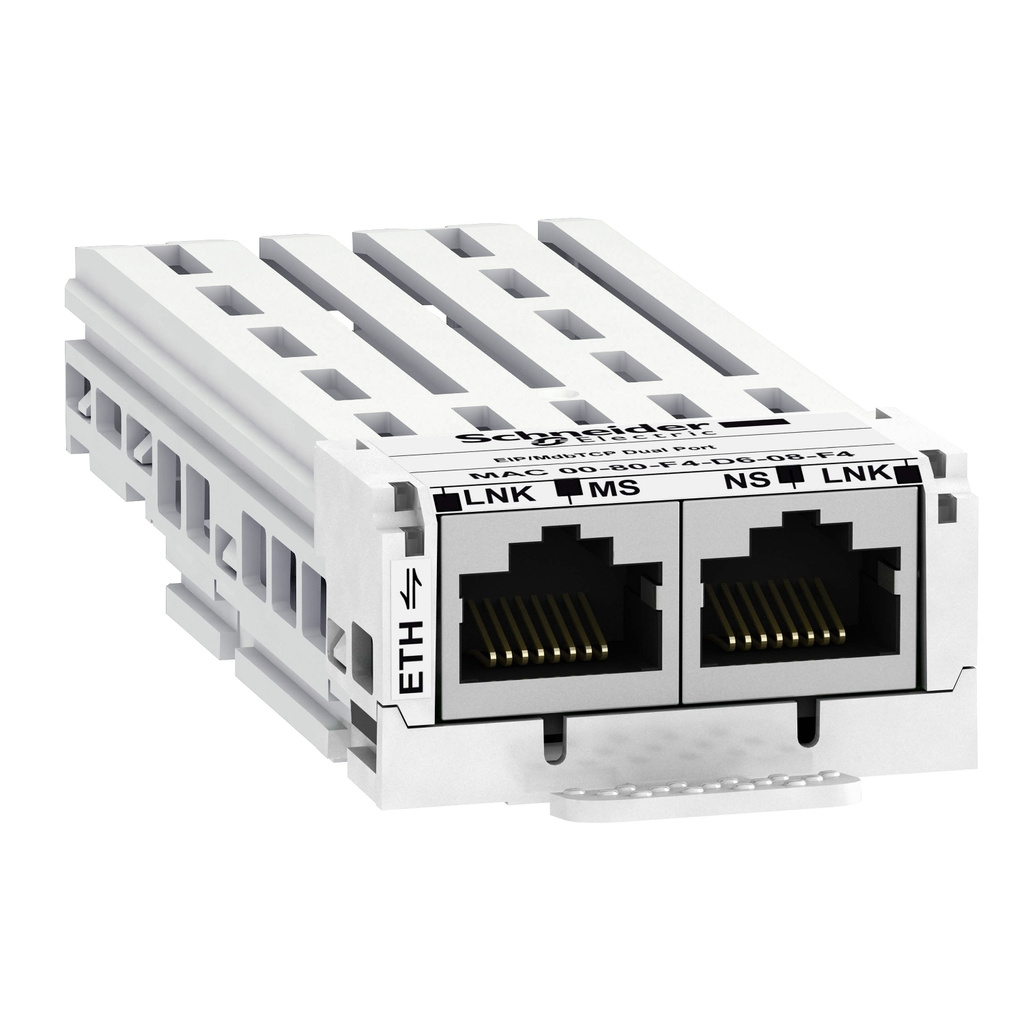


Image shown may be a representative image and may not reflect the exact product
| Connection Type | 2 connectors RJ45, Ethernet IP/Modbus TCP |
| Compatible With | Altivar Process ATV600, Altivar Process Modular |
| Product Certifications | ODVA ,, Achilles level 2 |
| Module Type | Communication Module |
| Net Weight | 0.2 kg |
| Brand | Square D |
| Catalog 1 | Catalog |

|
| 2020 Global Food & Beverage Digital Transformation Benefits Report - Brochure - 998-20706023_GMA-US_F%26B+Digital+Transformation+Report (pdf) | Brochure |
|
| EcoStruxure Building IoT Solutions eBrochure - EcoStruxure-Building-Brochure-998-20276330_GMA-US-2018 (pdf) | Brochure |
|
| Catalog 2 | Catalog |
|
| Square D Specification Sheet | Specification Sheet |
|
| Altivar 660 (ATV660) Drives Systems Brochure - 998-19732151_US (pdf) | Brochure |
|
Configuring Displayed Values on Altivar Process Drives | Schneider Electric Support
Tutorial for configuring Altivar Process Drives (ATV630, ATV930, ATV650, ATV950, ATV660, ATV960,...
Configuring Altivar 630/930 Process Drives for 3 Wire Control | Schneider Electric
Learn how to configure Altivar Process Drives ATV630 and ATV930 for 3 Wire Control in this detailed...
Configuring Altivar 630/930 Process Drives for Local HMI Keypad Control | Schneider Electric Support
Tutorial for configuring Altivar ATV630 & ATV930 Process Drives for speed and start/stop control ...
Navigating to ID Menu on Altivar Process 630 & 930 Drives | Schneider Electric Support
Tutorial for navigating to the Identification (ID) menu on the Altivar Process 630 and 930 variable...
Configuring a Command Switch on Altivar Process 630 & 930 Drives | Schneider Electric Support
Tutorial for configuring a command switch via logic input on the Altivar Process 630 and 930...
Unlocking ATV630 & ATV960 Process Drive Display for Menu Access | Schneider Electric Support
Tutorial for unlocking the graphical display of the Altivar Process 630/960 (ATV630/ATV930) ...
Configuring a Reference Switch on Altivar Process 630 & 930 Drives | Schneider Electric Support
Tutorial for configuring a reference switch via digital input on the Altivar Process 630 and 930...
Configuring Altivar 630/930 Process Drives for HMI Dial Speed Control | Schneider Electric Support
In this tutorial, we walk you through the process of configuring the HMI keypad dial for speed...
Configuring Altivar 630/930 Process Drives for Control via AI2 | Schneider Electric Support
Tutorial for configuring Altivar ATV630 & ATV930 Process Drives for control via Analog Input 2 ...
Disabling Output Phase Loss Detection on Altivar 630/930 Process Drives | Schneider Electric
In this tutorial, we’ll show you how to disable the Output Phase Loss Detection feature on ...
Enabling Local/Remote Button on Altivar ATV 630/930 Process Drives | Schneider Electric Support
In this comprehensive tutorial, we'll show you how to enable the Local/Remote button on Altivar...
Programming Relay Functions on Altivar 630/930 Process Drives | Schneider Electric Support
Welcome to our comprehensive tutorial on programming relay functions for Altivar 630 and Altivar ...
The name already exists. Please enter a unique name.
Already Exists
List created successfully
You successfully added the product to your list with minimum order quantity.
Product Added
List updated successfully
empty name
There was a problem adding this product to your list. This may be because your list already contains 50 items.